Reimagine any lived-in room without lifting a paintbrush
Upload a photo of your current bedroom or living room—clutter and all. Preview new wall finishes, oak floors, lighting, and cohesive furniture while keeping your walls and windows.

More options
From cluttered room to calm sanctuary in three steps
1. Upload your current room
No need to clean up first—snap your bedroom or living room showing the walls, window, and main furniture.
2. Pick a style & scope
Choose from 8 interior palettes, target Full room or Walls & floor only, and toggle oak floors or sconces.
3. Compare Before & After
Slide between your existing room and the redesigned concept before buying paint or furniture.
8 room makeover styles
Each palette coordinates wall finishes, flooring, textiles, and lighting fixtures.
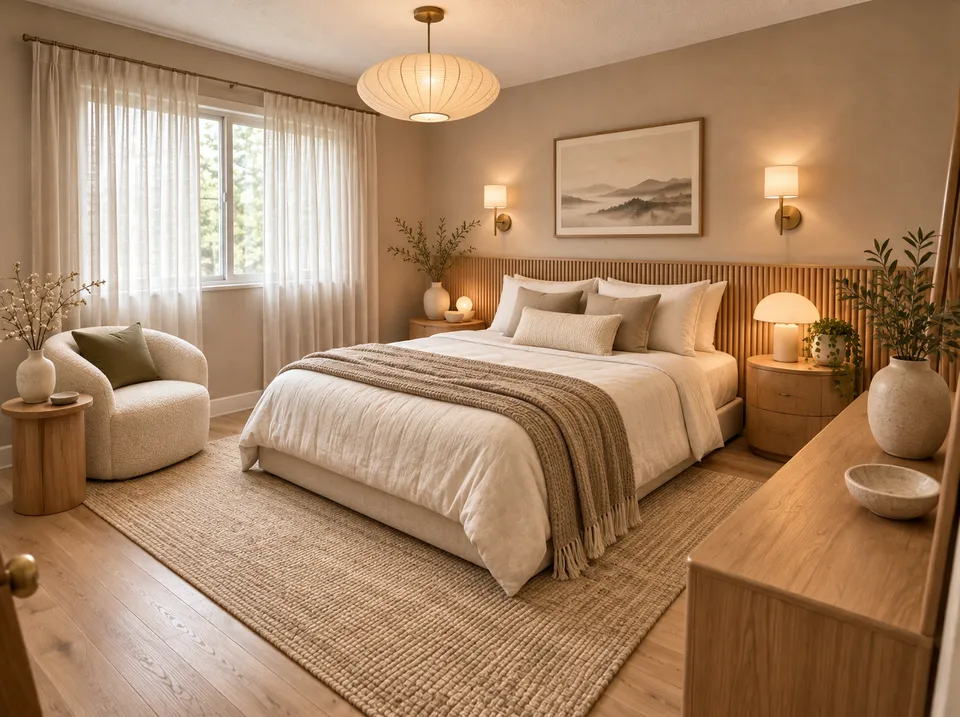
Fluted oak headboard · warm plaster & linen
Japandi Sanctuary
Fluted oak paneling, smooth plaster walls, crisp linen textiles and calm warm lighting.
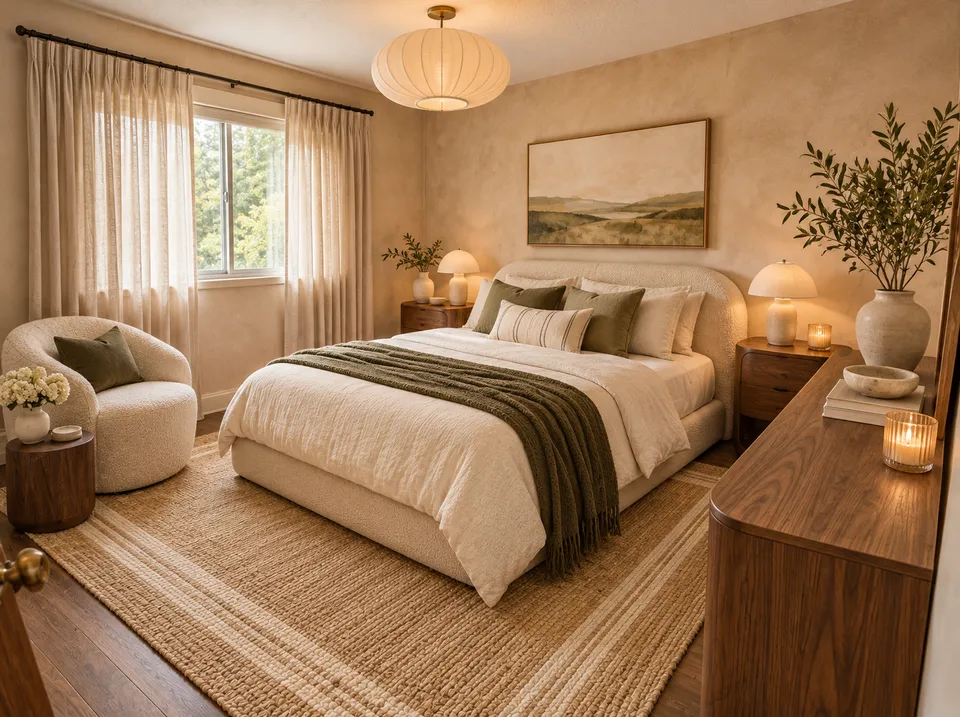
Limewash walls · walnut, bouclé & olive tree
Organic Modern
Soft limewash walls, walnut and oak furniture, tactile bouclé and indoor greenery.
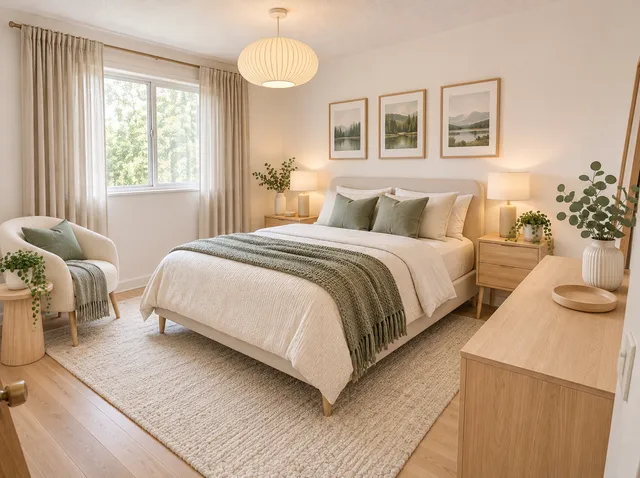
Warm-white walls · pale birch & airy light
Scandinavian
Crisp warm-white walls, pale birch furniture and bright clutter-free Nordic calm.
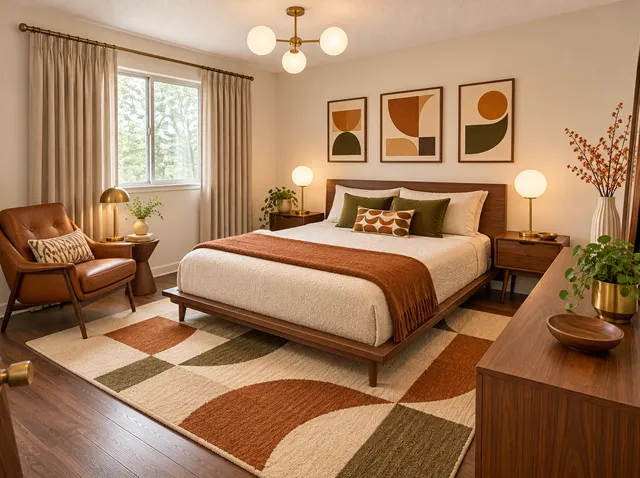
Solid walnut frame · cognac leather & brass
Mid-Century Vintage
Walnut furniture, cognac leather accents, brass globe lighting and tailored drapery.
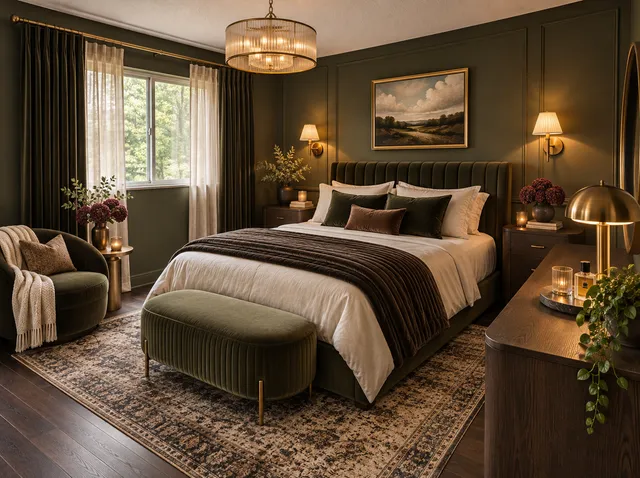
Deep charcoal wall · glowing brass sconces
Boutique Hotel
Deep charcoal accent wall, warm brass sconces and plush hotel-grade layering.
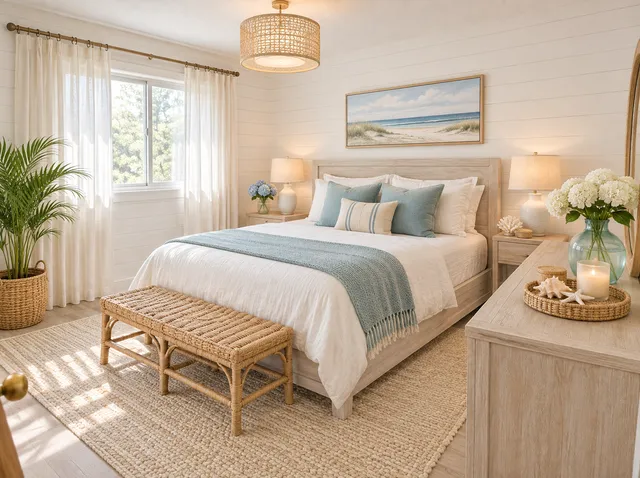
Whitewashed oak · breezy linen & rattan
Coastal Relaxed
Whitewashed oak, crisp slipcovered linen, woven rattan and sunlit coastal calm.
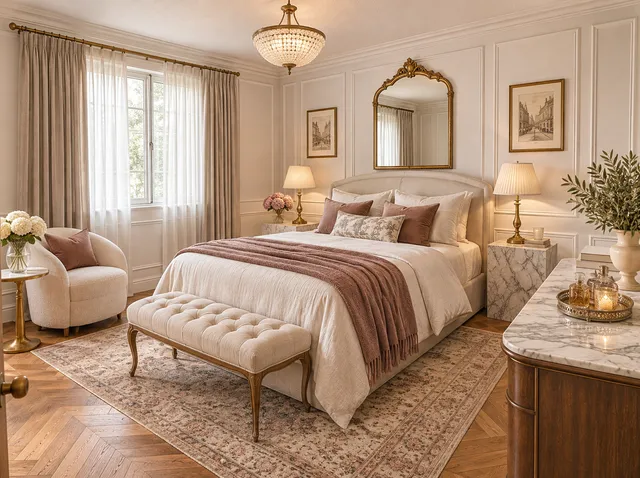
Wall moldings · herringbone oak & brass
French Vintage
Wall picture moldings, herringbone oak parquet and antique brass accents.
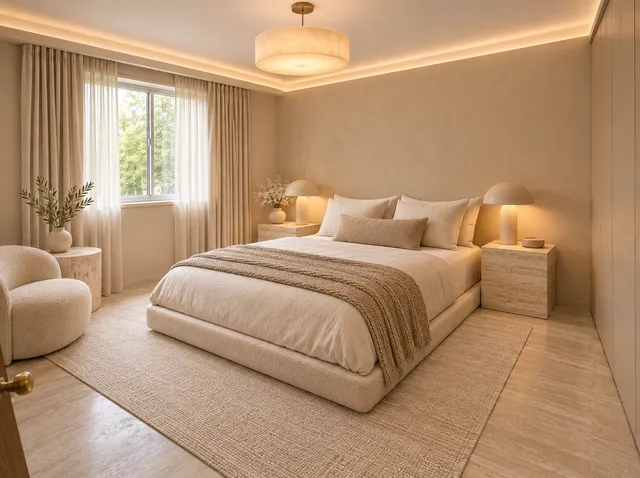
Tonal oatmeal walls · concealed storage
Modern Minimalist
Tonal oatmeal walls, concealed storage, travertine accents and serene floor space.
See your lived-in room without the clutter before redecorating
It is hard to picture new wall paint or flooring when a bedroom or living room is full of mismatched furniture and everyday mess. Preview two or three cohesive styles on your actual walls and windows first.
Warm Japandi
Fluted oak paneling, smooth plaster walls, crisp linen textiles and calm warm light.
Explore style →Organic Modern
Soft limewash walls, walnut and oak furniture, tactile bouclé and greenery.
Explore style →Boutique Hotel
Deep charcoal accent wall, warm brass sconces and plush hotel-grade layering.
Explore style →Planning a room reset? Browse all 30 decision guides in our room makeover guides, review photo tips, or read help & limitations.
Simple credit packs
One-time packs, no subscription. Every room makeover uses 1 credit.
Starter
$0.45 / render
Pro
$0.32 / render
Max
$0.26 / render
Sign in with Google to get free starter credits. Unused credits never expire. Purchases are final except as set out in our refund policy.
Frequently asked questions
Do I have to clean my room before taking the photo?
No. In Full room mode, the AI clears clutter, cords, boxes, and messy bedding while keeping your walls, ceiling, and windows intact.
How is this different from Virtual Staging?
Virtual Staging furnishes empty rooms for real estate listings; RoomRemodel AI is built for lived-in, dated, or cluttered rooms that need a full style reset.
Can I keep my furniture and just change walls and flooring?
Yes — select 'Walls & floor' in Makeover Scope to test paint colors, moldings, curtains, and wood floors.
Do credits expire?
No. One-time packs never expire and credits are automatically refunded if a render fails.